How to Delete Your Account
You can delete your DayTap account directly from the app. When you delete your account, all of your data is permanently removed from our systems, including:
- Your account information (name, email)
- All check-in history
- All guardian contacts you've added
- Your subscription (if applicable)
- Device and notification data
Steps to Delete Your Account
- Open the DayTap app
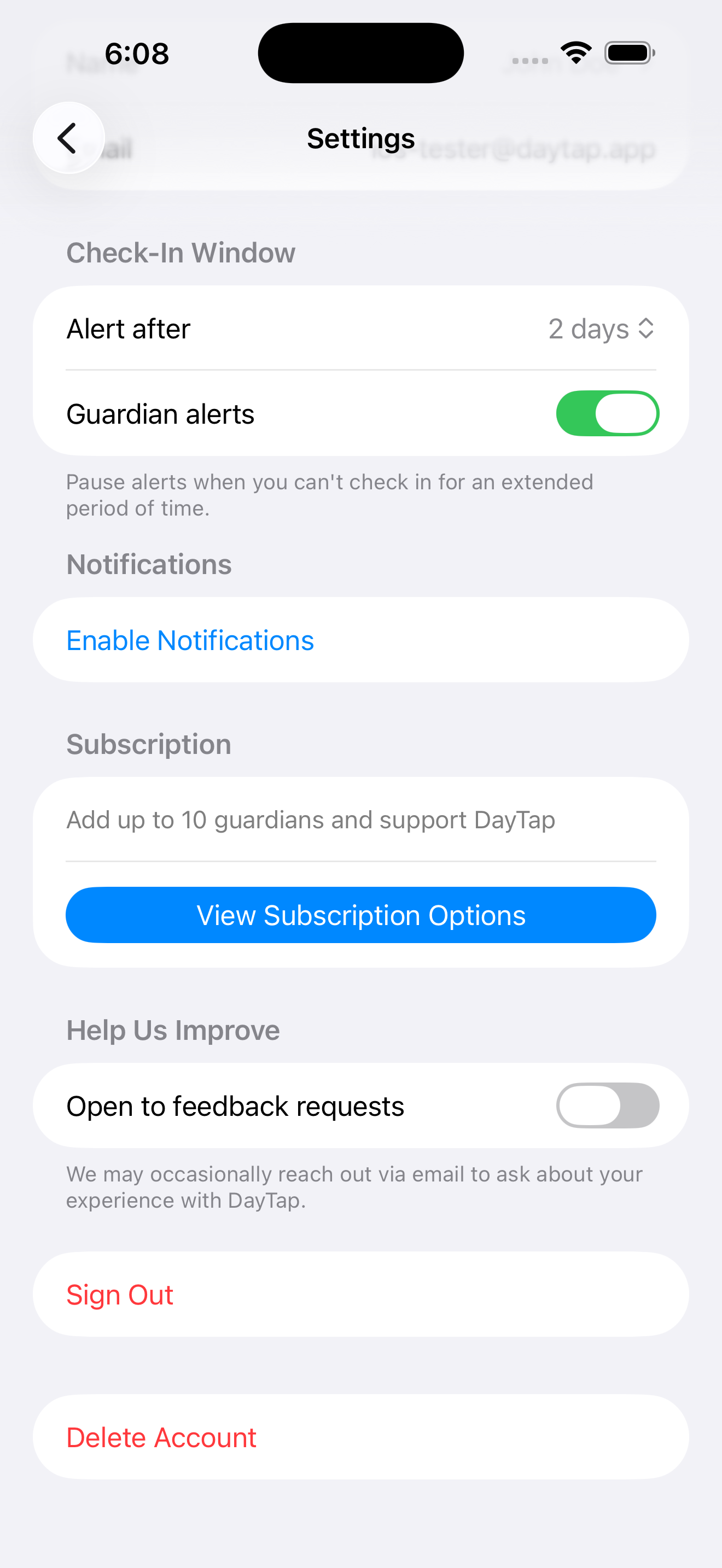
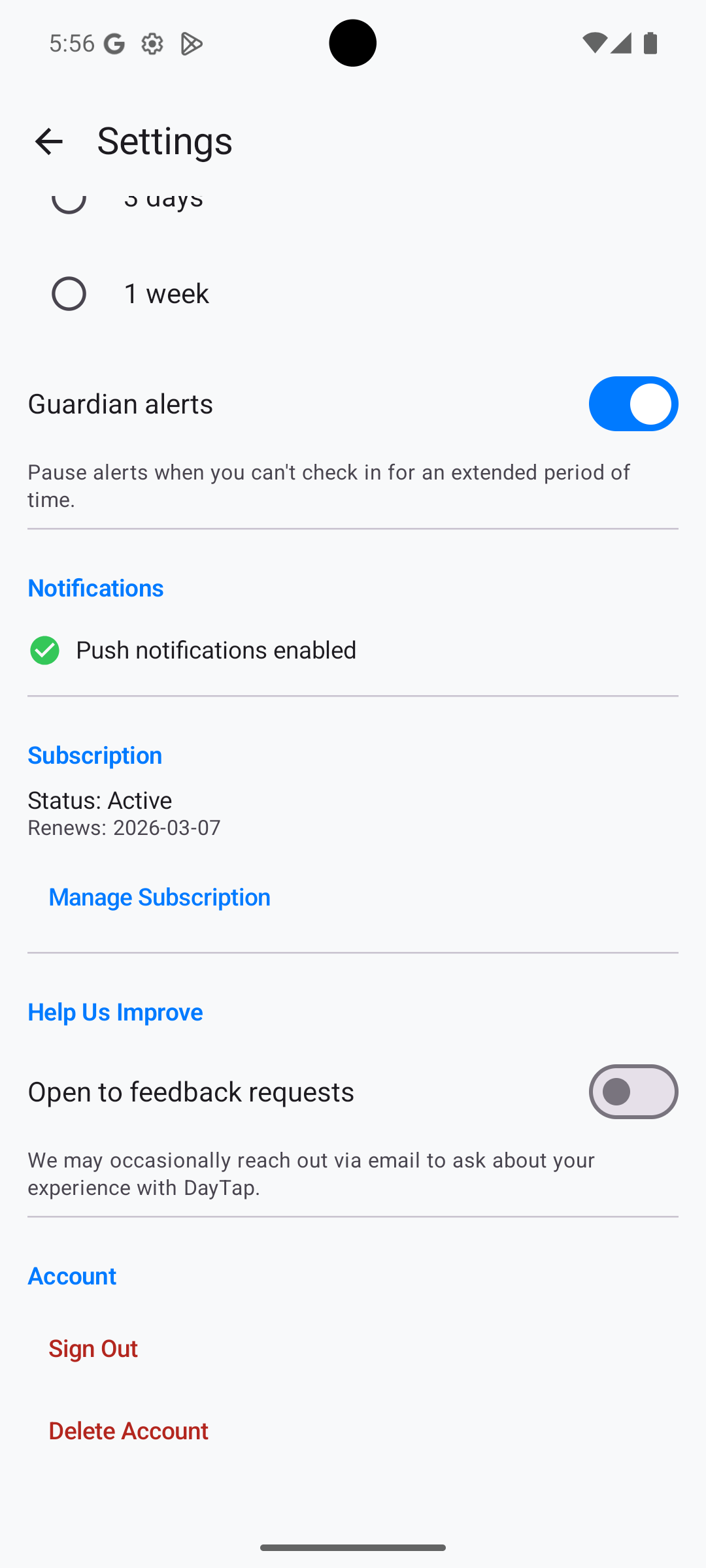
- Go to Settings (tap the gear icon)
- Scroll to the bottom of the page
- Tap Delete Account
- Confirm the deletion when prompted
iOS
Android
What Happens After Deletion
Account deletion is immediate and permanent. Once deleted, your data cannot be recovered. If you have an active subscription, you should cancel it separately through the App Store or Google Play to avoid future charges.
Need Help?
If you're unable to access the app or need assistance deleting your account, contact us at [email protected] and we'll handle it for you.